Restaurants
Counter service, a kiosk,and phone orders for pickup.
BlazeBite is built for concession stands, and it fits a counter-service restaurant the same way: a terminal at the counter, a self-checkout kiosk beside it, and mobile ordering for pickup. Orders reach the kitchen the moment they are placed, and the report is live to the second.
Start free, no setup fee Cash, card, Apple Pay, Google Pay Support from people who have worked a stand

Three ways to order
Every order lands in the same kitchen and the same report.
At the counter
- 1.Staff tap the items on the terminal
- 2.Cash, card, or phone
- 3.The ticket prints in the kitchen
One terminal per position
At the kiosk
- 1.A guest taps through the menu on the screen
- 2.Pays on the attached reader
- 3.The ticket prints. Staff hand it over.
No one needed at the screen
From the phone
- 1.A guest scans the QR code on the door or the table
- 2.Orders and pays on the phone
- 3.Gets a text. Picks up at the counter.
Pickup without the line
Quick service
The terminal rings it, the kitchen sees it the same second.
Every order from the terminal, the kiosk, and the phones lands on the kitchen screen the moment it is placed and prints on the kitchen printer. The guest gets a text when it is ready. Sizes, toppings, and notes are picked on the same screen.
- Cash, card, Apple Pay, and Google Pay
- A cash drawer, card reader, and printer at each terminal
- A kitchen screen and a pickup screen

Phone orders for pickup
Guests order from the table or from the parking lot.
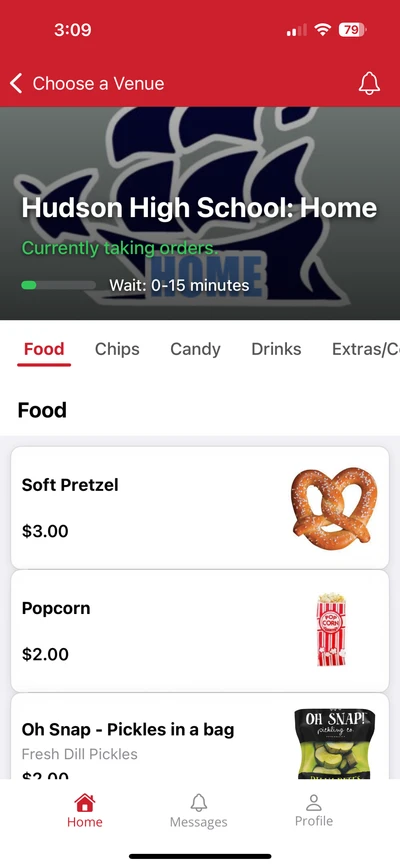
A QR code on the door or a table tent opens your full menu on the phone. Guests order and pay, the order lands in the kitchen, and they pick it up at the counter when the text comes. Regulars can order ahead and walk in when it is ready.
The kiosk
A second line that does not need a second cashier.
A 21.5-inch touchscreen on a counter or floor stand, with a card reader and a printer. Guests tap through the menu with photos, pay on the reader, and the ticket prints in the kitchen. Runs the same menu as the counter, or its own.
What comes with it.
Each terminal comes with a card reader, a cash drawer, and a printer. It arrives set up for your menu.
- Cash, card, Apple Pay, and Google Pay at every terminal
- Your menu on any TV above the counter
- Reports by terminal and by day, live to the second
- Start free, no setup fee
- Support from people who have worked a stand
See it on a call.
A thirty-minute call. We ring a sale, print a ticket, and pull the report so you can see how it works.